
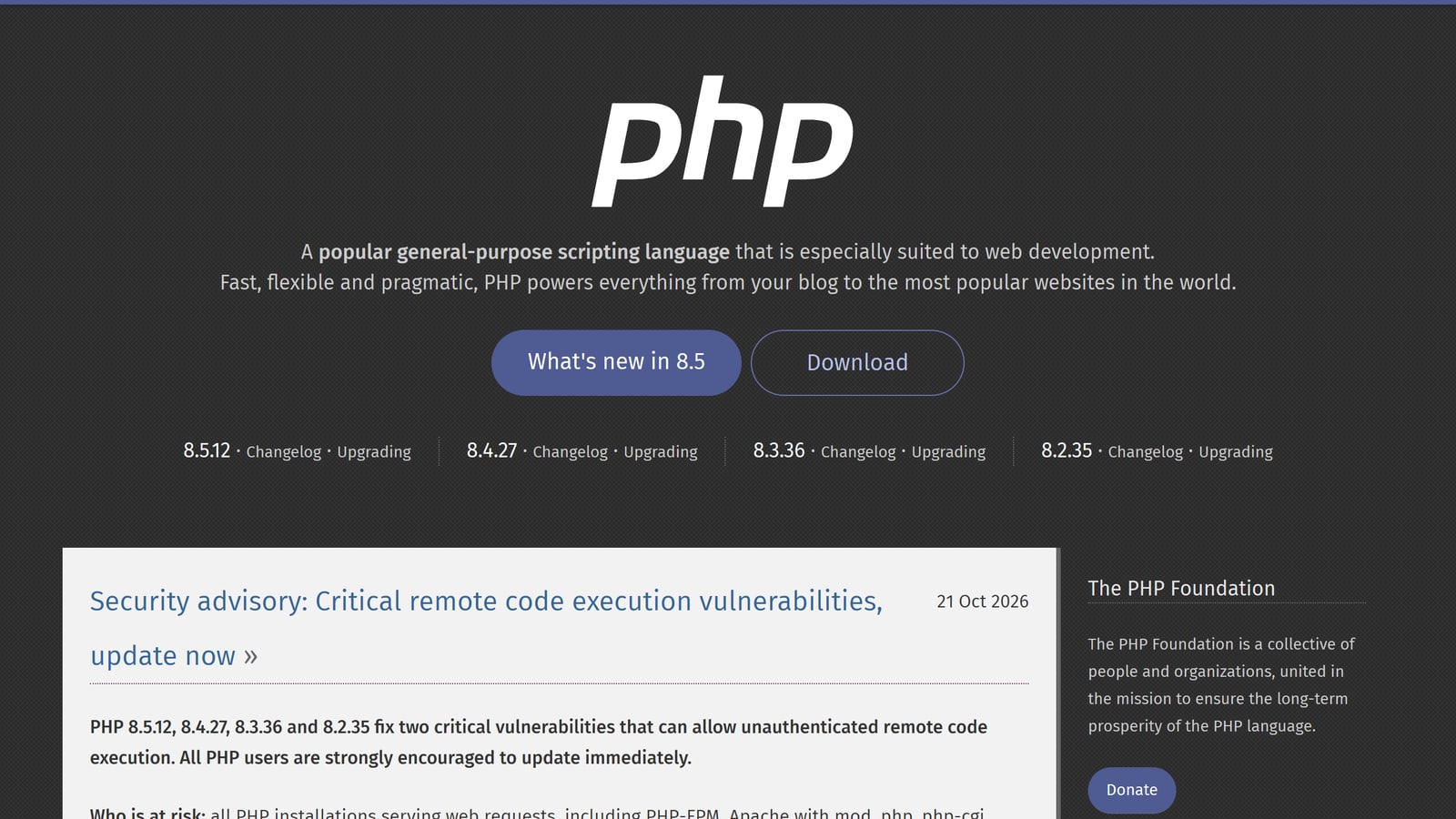
On 21 October 2026 the PHP project published a security advisory titled "Critical remote code execution vulnerabilities, update now". Two bugs, CVE-2026-109618 and CVE-2026-109619, now widely called PHP2Shell, can let an attacker run code on a web server that uses PHP, without logging in. If your business runs WordPress, WooCommerce, Joomla, Drupal, Laravel or almost any cPanel-hosted site, PHP is underneath it, so this one is yours to check today.
This is not a theoretical bug. The researchers at Wiz, who helped report it, demonstrated unauthenticated code execution against WordPress, Drupal and Joomla in test environments, and say affected releases go back to PHP 5.4. Cloudflare wrote on 21 October that the vulnerability "was leaked before the official release date" and that it "observed attack traffic targeting our customers".
What was fixed, in plain terms
Both bugs are about memory that PHP believes is in a good state when it is not. An attacker who can send web requests to your server can steer PHP into using that memory, and from there into running their own code.
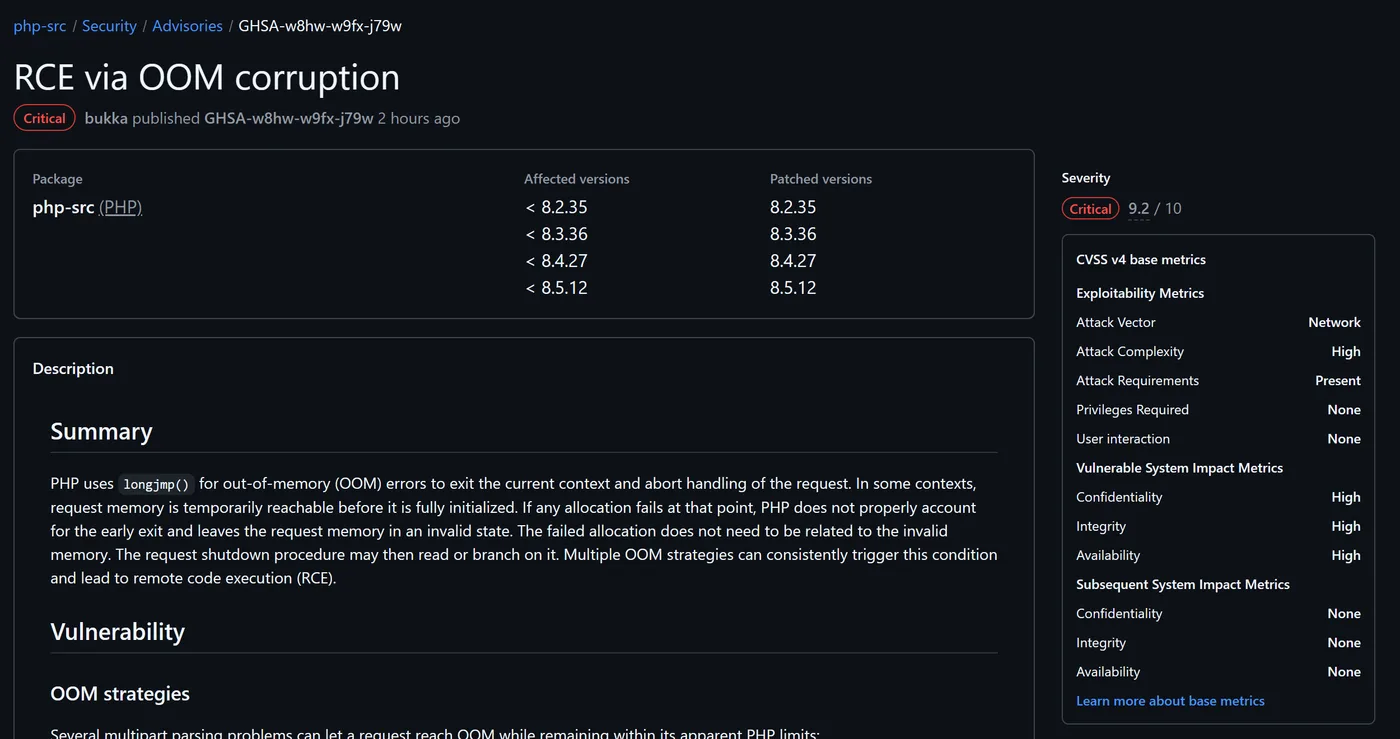
- CVE-2026-109618, "RCE via OOM corruption" (GitHub advisory GHSA-w8hw-w9fx-j79w). When PHP runs out of memory part way through setting up a request, request cleanup can later treat half-initialized data as valid. The advisory lists several ways a crafted multipart upload can push PHP to that out-of-memory point while staying inside its normal size limits.
- CVE-2026-109619, "RCE via stale global state" (GitHub advisory GHSA-6wmf-4rv5-p3rp). Some per-request state can outlive the memory behind it, so the next request handled by the same PHP worker may use it before PHP resets it.
The PHP project rates both as critical, CVSS v4 9.2 out of 10. Its own words on who is at risk: "all PHP installations serving web requests, including PHP-FPM, Apache with mod_php, php-cgi, FrankenPHP and LiteSpeed." It considers the risk highest for Apache with mod_php, where it has a demonstrated exploit in which an unauthenticated request triggers the attack before any of your application code runs. That last detail matters: a security plugin inside WordPress cannot see or stop an attack that happens before WordPress starts. PHP-FPM is harder to attack but not safe either: the second advisory confirms code execution on FPM as well.
Which PHP version fixes it
Find the branch you run (the first two numbers, such as 8.3) and compare it with the fixed release for that branch. A version below the number in the middle column is vulnerable unless your vendor shipped its own patched build.
| Your branch | Fixed in | What to do |
|---|---|---|
| PHP 8.5 | 8.5.12 | Update. Extra 8.5-only stopgap below |
| PHP 8.4 | 8.4.27 | Update |
| PHP 8.3 | 8.3.36 | Update |
| PHP 8.2 | 8.2.35 | Update. 8.2 reaches end of life on 31 Dec 2026, so plan 8.3 or 8.4 |
| PHP 8.1, 8.0, 7.4 | No php.net release | Only a vendor backport or a source build fixes it. Move to a supported branch |
| PHP 7.3 down to 5.4 | Nothing published | Affected according to Wiz. Treat as exposed and upgrade |
PHP 8.1 and older are past their official support. Because of the severity, the PHP security team published minimal source backports for 7.4, 8.0 and 8.1, but those help people who compile PHP themselves. On a hosting plan they only help if your host builds and ships them.
How to check the PHP version your site really uses
This is where most mistakes happen. Running php -v over SSH tells you the command-line PHP, which is often not the PHP that serves your website. A hosting server can have a dozen PHP builds installed side by side, and each site picks one in its control panel or in its .htaccess file. On one shared server we looked at on 21 October, the patched 8.3.36 build was already installed, and the website on it was still pinned to PHP 7.4.
Three ways to see the version that answers your visitors, from easiest to most reliable:
- WordPress: go to Tools, then Site Health, then the Info tab, and open Server. It shows the PHP version and the server API (FPM, LiteSpeed, Apache module).
- Your hosting panel: in cPanel look for MultiPHP Manager or Select PHP Version; on Hostinger hPanel look for PHP Configuration. Note both the branch and the exact version if it is shown.
- A one-minute test file: upload a file with a random name, open it in the browser, then delete it straight away.
<?php
// save as check-7f3a.php in the site's web root, open it, then DELETE it
echo PHP_VERSION, ' ', PHP_SAPI;
To make the comparison automatic, this small script prints whether a version is at or above the fixed release for its branch. We ran it against the official Docker images on 21 October: at the time the floating php:8.4-cli tag still shipped 8.4.26, so "latest" was not yet patched.
<?php
$fixed = ['8.2' => '8.2.35', '8.3' => '8.3.36', '8.4' => '8.4.27', '8.5' => '8.5.12'];
$branch = PHP_MAJOR_VERSION . '.' . PHP_MINOR_VERSION;
echo 'PHP ', PHP_VERSION, ' (', PHP_SAPI, '): ';
if (!isset($fixed[$branch])) {
    echo "branch $branch gets no php.net release; only a vendor backport fixes it\n";
} elseif (version_compare(PHP_VERSION, $fixed[$branch], '>=')) {
    echo "at or above {$fixed[$branch]}, patched\n";
} else {
    echo "below {$fixed[$branch]}, VULNERABLE unless your vendor backported the fix\n";
}
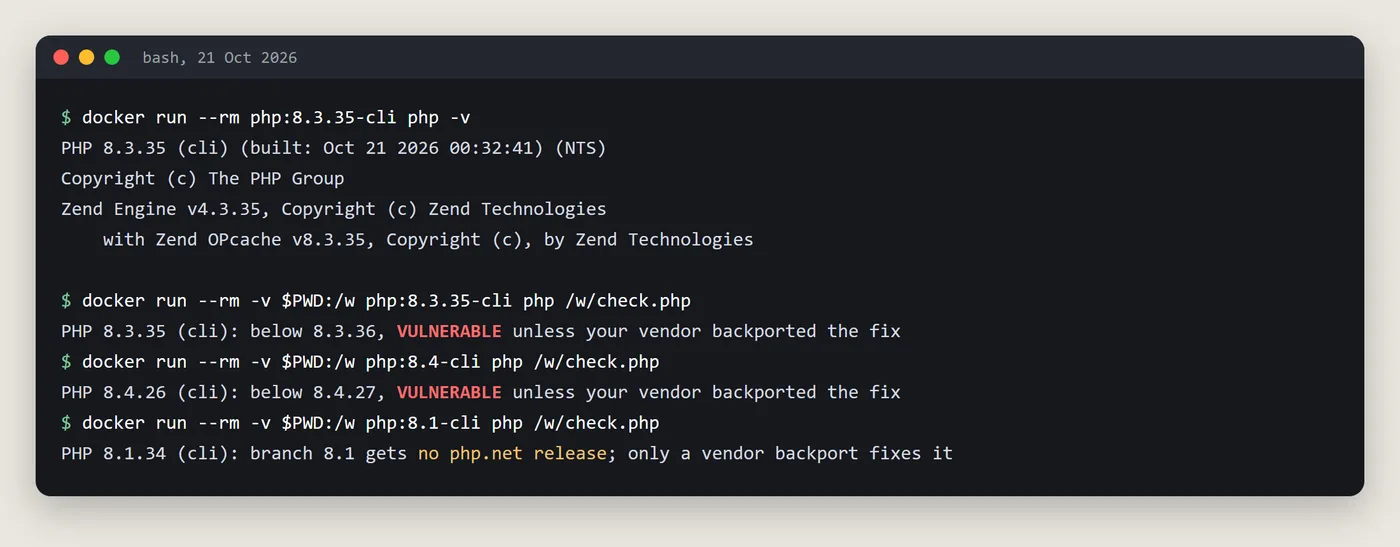
One caution about version numbers: Linux distributions often patch PHP without changing the upstream version number. Ubuntu 24.04, for example, ships the fix in package 8.3.6-0ubuntu0.24.04.13 (USN-8948-1), so a patched Ubuntu server still prints PHP 8.3.6. On those systems check the package version in your distribution's security notice instead of trusting php -v alone.
How to update, by where your site lives
Shared hosting (cPanel, CloudLinux, Hostinger, Bluehost, Namecheap and similar)
You cannot patch PHP yourself here. The host rebuilds its PHP packages and your site picks them up. What you can do:
- Make sure the site is on a supported branch, 8.2 or newer, ideally 8.3 or 8.4. If it is on 7.4 or 8.1, that alone is the biggest risk.
- Check whether the site sits behind Cloudflare. Cloudflare says it deployed WAF rules for these bugs from 03:02 UTC on 21 October on all plans with the WAF active, including Free. That blocks known attack patterns at the edge, but it is a filter, not a fix, and it does nothing for traffic that reaches the server directly.
- On paid Cloudflare plans (Pro, Business, Enterprise), check that the Managed Ruleset is deployed in block mode.
- Remove invalid or deprecated
php_valueandphp_flaglines from your.htaccess. The advisory for CVE-2026-109619 names them as an early trigger on Apache with mod_php. - Ask the host's support, in writing, whether the 21 October PHP security update (CVE-2026-109618 and CVE-2026-109619) is installed for your branch, and when.
- Check the version again after they confirm, using one of the methods above.
Your own server or VPS
The advisory says Linux distributions and long-term-support vendors received the patches in advance. Status when we checked on the afternoon of 21 October (UTC), so re-check your own tracker:
- Ubuntu: fixed for 22.04 (php8.1), 24.04, 26.04 and 26.10 (USN-8948-1 and USN-8948-2); 20.04 and older are fixed through Ubuntu Pro (ESM).
- Debian: trixie fixed in
php8.4 8.4.27-1~deb13u1(DSA-6574-1), bookworm inphp8.2 8.2.35-1~deb12u1(DLA-4848-1). - Red Hat Enterprise Linux: rated Important, errata not yet published. Amazon Linux 2 and 2023: pending fix.
- Ondřej Surý's repository (
packages.sury.org, common on Debian and Ubuntu servers): fixed builds for 8.2 to 8.5, plus rebuilt 7.4, 8.0 and 8.1 packages carrying the backport.
Then install the updates: apt update && apt install --only-upgrade 'php*' on Debian and Ubuntu, dnf upgrade 'php*' on RHEL-family systems. After installing, restart every PHP process, not just the web server: systemctl restart php8.3-fpm (use your version), then Apache or LiteSpeed. An FPM worker that keeps running keeps the old code in memory.
If you install PHP from the volunteer-run Remi repository (rpms.remirepo.net), note the advisory's warning: that repository will not have updates on the day of release, and the PHP team urges switching to distribution packages or building from source so you can patch immediately.
Docker and containers
The official Docker images got exact tags for the fixed releases on the afternoon of 21 October, but floating tags lagged: when we checked, php:8.4-cli still shipped 8.4.26. Pin and rebuild on the exact fixed tag (for example php:8.3.36-fpm), then redeploy so no old container keeps serving traffic. Check with docker run --rm <image> php -v before you roll out.
If you cannot update today: the stopgaps, and their limits
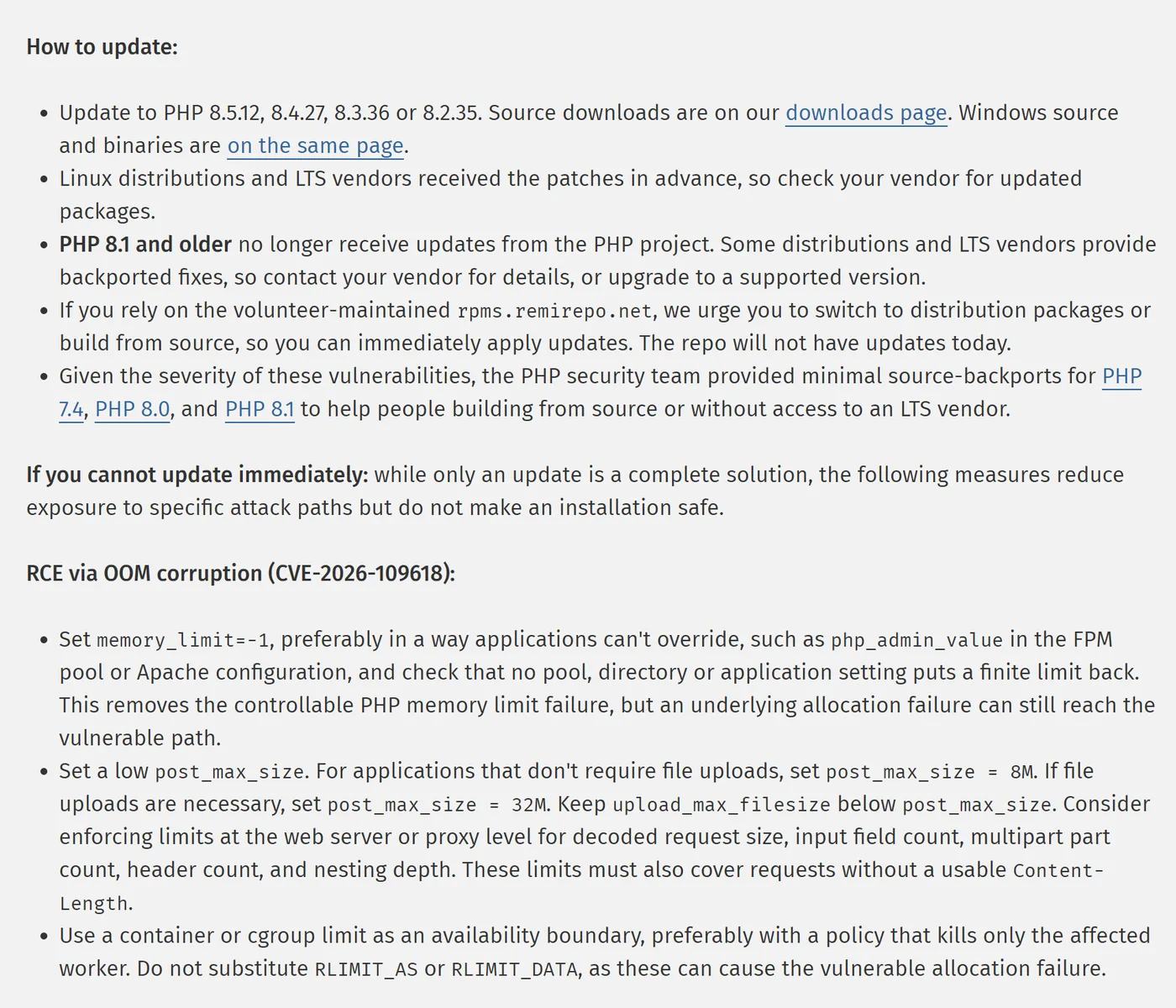
The PHP project is explicit that these "reduce exposure to specific attack paths but do not make an installation safe." Use them only to buy hours or days while the real update is scheduled.
For CVE-2026-109618, set memory_limit=-1 where applications cannot override it, set a low post_max_size (8M if the site takes no uploads, 32M if it does, with upload_max_filesize below it), and keep container or cgroup memory limits as the safety net. Do not use RLIMIT_AS or RLIMIT_DATA instead: the advisory says they can cause the very allocation failure the attack needs. For CVE-2026-109619, set session.upload_progress.enabled=0 and restart every worker; on PHP 8.5 also set fatal_error_backtraces=0.
; php.ini (applies before the request is parsed)
session.upload_progress.enabled = 0
post_max_size = 8M        ; 32M if the site needs uploads
; PHP 8.5 only:
fatal_error_backtraces = 0
On PHP-FPM, set the same values in the pool file with the admin directives, so the application cannot change them back:
; /etc/php/8.3/fpm/pool.d/www.conf (path varies)
php_admin_flag[session.upload_progress.enabled] = off
php_admin_value[post_max_size] = 8M
php_admin_value[memory_limit] = -1
The GitHub advisories add a few more for servers you control: block multipart requests at the proxy for sites that never take uploads, lower max_input_nesting_level, and consider pm.max_requests=1 in FPM so no worker handles a second request (it costs performance). Keep session.upload_progress off even after patching if nothing uses it.
Two traps. First, these settings must apply before PHP parses the request, so ini_set() in your code and FPM .user.ini files do not count. Second, hiding errors with display_errors, error_reporting or the @ operator does nothing against these bugs.
Signs someone already tried
Patching closes the door; it does not tell you whether someone walked in first. The bug leaked before the official release, and Cloudflare reports attack traffic. Wiz lists these signs to look for in your logs:
- Multipart (upload-style) requests followed by memory-limit errors or repeated HTTP 500 responses.
- Oversized or malformed
PHPSESSIDcookies in responses. - Unexplained spikes in PHP workers restarting.
If you see them, or the site was directly reachable before you patched, also check for new administrator accounts, recently changed PHP files outside your normal deploys, and unknown scheduled tasks. On shared hosting your provider's error logs and the security plugin's file scan are the practical starting points. Wiz notes the bugs can also leak memory contents, so if you suspect exposure, rotate database passwords, API keys and the WordPress salts.
What we check for clients this week
When a client asks us about this advisory, we go through the same short list on every site, because the version shown in a dashboard and the version serving requests are not always the same thing:
- The PHP branch and exact build each site uses on the web, not just on the command line.
- Whether the host or the distribution has shipped the fixed build, with the confirmation in writing.
- Old sites pinned to 7.4 or 8.1 in
.htaccessor the panel, which are the ones most likely to be forgotten. - That PHP-FPM and LiteSpeed workers were restarted after the update.
- Backups that are recent and restorable before any version switch, since moving an old theme from 7.4 to 8.3 can break the layout.
Want us to check or fix your sites?
If you are not sure which PHP version your site runs, or your host's answer was vague, we can do the check for you and handle the update or the move to a supported branch, with a backup taken first. Send us a message with your site's address: email info@guanacostech.com or write to us on WhatsApp. We work with small and mid-sized businesses across North America and Latin America, and you can see how projects run on how we work or read about our cloud and server consulting for small teams.
Sources
- PHP security advisory, 21 October 2026 (php.net news archive)
- PHP 8.3.36 release announcement (php.net)
- GHSA-w8hw-w9fx-j79w: RCE via OOM corruption (php-src on GitHub)
- GHSA-6wmf-4rv5-p3rp: RCE via stale global state (php-src on GitHub)
- CVE-2026-109618 record (CVE Program)
- CVE-2026-109619 record (CVE Program)
- PHP2Shell research (Wiz)
- WAF protection for the PHP vulnerabilities (Cloudflare blog)
- Ubuntu security notice for CVE-2026-109618
- Debian security tracker, CVE-2026-109618
- Red Hat CVE page, CVE-2026-109618
- php_sapi_name() in the PHP manual